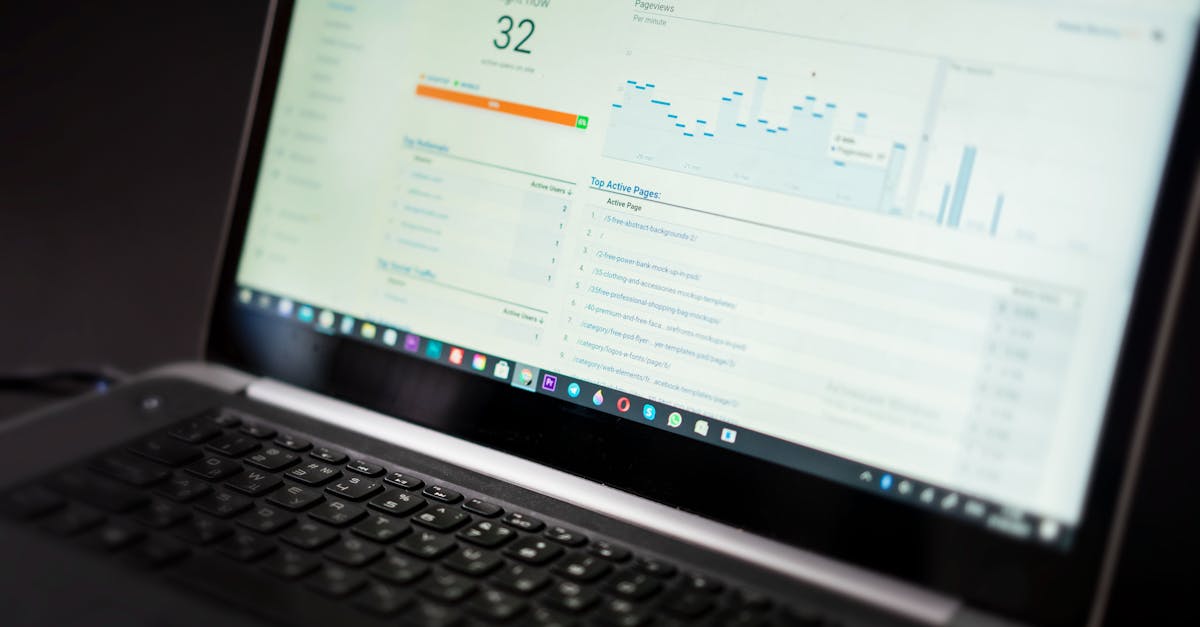
性能工具全景图
前端性能优化工具可分为以下几类:
| 类别 | 用途 | 代表工具 |
|---|---|---|
| 分析诊断 | 发现性能问题 | Chrome DevTools, Lighthouse |
| 构建优化 | 减小产物体积 | Webpack Analyzer, Vite |
| 监控告警 | 生产环境监测 | Sentry, Web Vitals |
| 测试验证 | 持续性能保障 | WebPageTest, Playwright |
本文将详细介绍每类工具的使用方法。
Chrome DevTools
Performance 面板
录制并分析页面性能:
- 打开 DevTools → Performance
- 点击录制按钮或 Ctrl+E
- 执行需要分析的操作
- 停止录制,分析火焰图
关键指标解读:
| 区域 | 说明 | 关注点 |
|---|---|---|
| Summary | 时间分布概览 | Scripting 占比不宜过高 |
| Main | 主线程活动 | 长任务(>50ms)标红 |
| Network | 资源加载时序 | 关键资源加载顺序 |
| Frames | 帧率变化 | 目标 60fps |
常用技巧:
// 在代码中添加性能标记
performance.mark('component-render-start')
// ... 渲染逻辑
performance.mark('component-render-end')
performance.measure('component-render',
  'component-render-start',
  'component-render-end'
)
Network 面板
分析网络请求性能:
- Waterfall:查看请求瀑布图,识别阻塞资源
- Throttling:模拟慢速网络(3G/4G)
- Disable cache:测试首次访问性能
- Filter:按资源类型筛选分析
Coverage 面板
检测未使用的代码:
- Ctrl+Shift+P → Show Coverage
- 点击录制,刷新页面
- 查看每个文件的使用率
- 红色部分为未使用代码
Lighthouse
命令行使用
# 安装
npm install -g lighthouse

# 运行审计
lighthouse https://example.com \
  --output html \
  --output-path ./report.html \
  --preset=desktop

# 移动端测试
lighthouse https://example.com \
  --emulated-form-factor=mobile \
  --throttling.cpuSlowdownMultiplier=4
CI 集成
# .github/workflows/lighthouse.yml
name: Lighthouse CI
on: [push]

jobs:
  lighthouse:
    runs-on: ubuntu-latest
    steps:
      - uses: actions/checkout@v4

      - name: Run Lighthouse
        uses: treosh/lighthouse-ci-action@v10
        with:
          urls: |
            https://example.com/
            https://example.com/blog
          budgetPath: ./lighthouse-budget.json
          uploadArtifacts: true
// lighthouse-budget.json
[
  {
    "path": "/*",
    "timings": [
      { "metric": "first-contentful-paint", "budget": 2000 },
      { "metric": "largest-contentful-paint", "budget": 2500 },
      { "metric": "cumulative-layout-shift", "budget": 0.1 }
    ],
    "resourceSizes": [
      { "resourceType": "script", "budget": 300 },
      { "resourceType": "total", "budget": 500 }
    ]
  }
]
构建分析工具
Webpack Bundle Analyzer
// webpack.config.js
const BundleAnalyzerPlugin = require('webpack-bundle-analyzer').BundleAnalyzerPlugin

module.exports = {
  plugins: [
    new BundleAnalyzerPlugin({
      analyzerMode: 'static',
      reportFilename: 'bundle-report.html',
      openAnalyzer: false
    })
  ]
}
Vite 分析
// vite.config.js
import { visualizer } from 'rollup-plugin-visualizer'

export default {
  plugins: [
    visualizer({
      filename: 'stats.html',
      open: true,
      gzipSize: true,
      brotliSize: true
    })
  ]
}
Source Map Explorer
分析源码映射到产物的占比:
npx source-map-explorer dist/**/*.js --html result.html
在线测试工具
WebPageTest
- 多地点测试:全球 40+ 测试节点
- 真实设备:iOS/Android 真机测试
- 视频录制:逐帧分析加载过程
- 瀑布图:详细的资源加载分析
# API 使用
curl -X POST "https://www.webpagetest.org/runtest.php" \
  -d "url=https://example.com" \
  -d "k=YOUR_API_KEY" \
  -d "f=json"
PageSpeed Insights
Google 官方工具,结合真实用户数据(CrUX):
# API 调用
curl "https://www.googleapis.com/pagespeedonline/v5/runPagespeed?\
url=https://example.com&\
strategy=mobile&\
key=YOUR_API_KEY"
性能监控平台
Web Vitals 采集
// 使用 web-vitals 库
import { onCLS, onFID, onLCP, onFCP, onTTFB } from 'web-vitals'

const reportMetric = (metric) => {
  // 发送到分析服务
  fetch('/api/metrics', {
    method: 'POST',
    body: JSON.stringify({
      name: metric.name,
      value: metric.value,
      id: metric.id,
      navigationType: metric.navigationType
    }),
    keepalive: true
  })
}

onCLS(reportMetric)
onFID(reportMetric)
onLCP(reportMetric)
onFCP(reportMetric)
onTTFB(reportMetric)
Sentry 性能监控
import * as Sentry from '@sentry/browser'
import { BrowserTracing } from '@sentry/tracing'

Sentry.init({
  dsn: 'YOUR_DSN',
  integrations: [new BrowserTracing()],
  tracesSampleRate: 0.2, // 采样率 20%

  beforeSend(event) {
    // 过滤敏感信息
    return event
  }
})
自建监控方案
// 简易性能监控
class PerformanceMonitor {
  constructor(options = {}) {
    this.endpoint = options.endpoint
    this.sampleRate = options.sampleRate || 0.1
  }

  // 采集导航计时
  collectNavigationTiming() {
    const timing = performance.getEntriesByType('navigation')[0]

    return {
      dns: timing.domainLookupEnd - timing.domainLookupStart,
      tcp: timing.connectEnd - timing.connectStart,
      ttfb: timing.responseStart - timing.requestStart,
      download: timing.responseEnd - timing.responseStart,
      domParse: timing.domInteractive - timing.responseEnd,
      domReady: timing.domContentLoadedEventEnd - timing.fetchStart,
      load: timing.loadEventEnd - timing.fetchStart
    }
  }

  // 采集资源计时
  collectResourceTiming() {
    return performance.getEntriesByType('resource').map(r => ({
      name: r.name,
      type: r.initiatorType,
      duration: r.duration,
      size: r.transferSize
    }))
  }

  // 上报数据
  report() {
    if (Math.random() > this.sampleRate) return

    const data = {
      url: location.href,
      navigation: this.collectNavigationTiming(),
      resources: this.collectResourceTiming()
    }

    navigator.sendBeacon(this.endpoint, JSON.stringify(data))
  }
}
自动化测试
Playwright 性能测试
import { test, expect } from '@playwright/test'

test('页面加载性能', async ({ page }) => {
  // 开始性能追踪
  await page.goto('https://example.com', {
    waitUntil: 'networkidle'
  })

  // 获取性能指标
  const metrics = await page.evaluate(() => {
    const timing = performance.getEntriesByType('navigation')[0]
    return {
      lcp: performance.getEntriesByType('largest-contentful-paint')[0]?.startTime,
      fcp: performance.getEntriesByType('paint').find(p => p.name === 'first-contentful-paint')?.startTime,
      load: timing.loadEventEnd - timing.fetchStart
    }
  })

  // 断言性能指标
  expect(metrics.lcp).toBeLessThan(2500)
  expect(metrics.fcp).toBeLessThan(1800)
  expect(metrics.load).toBeLessThan(3000)
})
性能回归测试
// 对比基准性能
const baseline = {
  lcp: 2000,
  fcp: 1500,
  bundleSize: 400 * 1024
}

test('性能不低于基准', async () => {
  const current = await measurePerformance()

  // 允许 10% 波动
  expect(current.lcp).toBeLessThan(baseline.lcp * 1.1)
  expect(current.fcp).toBeLessThan(baseline.fcp * 1.1)
  expect(current.bundleSize).toBeLessThan(baseline.bundleSize * 1.05)
})
工具选型建议
| 场景 | 推荐工具 |
|---|---|
| 日常开发调试 | Chrome DevTools |
| CI 性能门禁 | Lighthouse CI |
| 包体积分析 | Bundle Analyzer |
| 生产环境监控 | Sentry / 自建方案 |
| 竞品对比分析 | WebPageTest |
总结
建立完整的性能工具链是持续优化的基础:
- 开发阶段 - DevTools 实时分析
- 构建阶段 - Bundle Analyzer 体积控制
- 测试阶段 - Lighthouse CI 性能门禁
- 生产阶段 - 监控告警持续追踪
工具是手段,关键在于建立性能意识和优化流程。